
Engine & assets
What PlayCanvas and the reviewed asset catalog provide.
Built on PlayCanvas
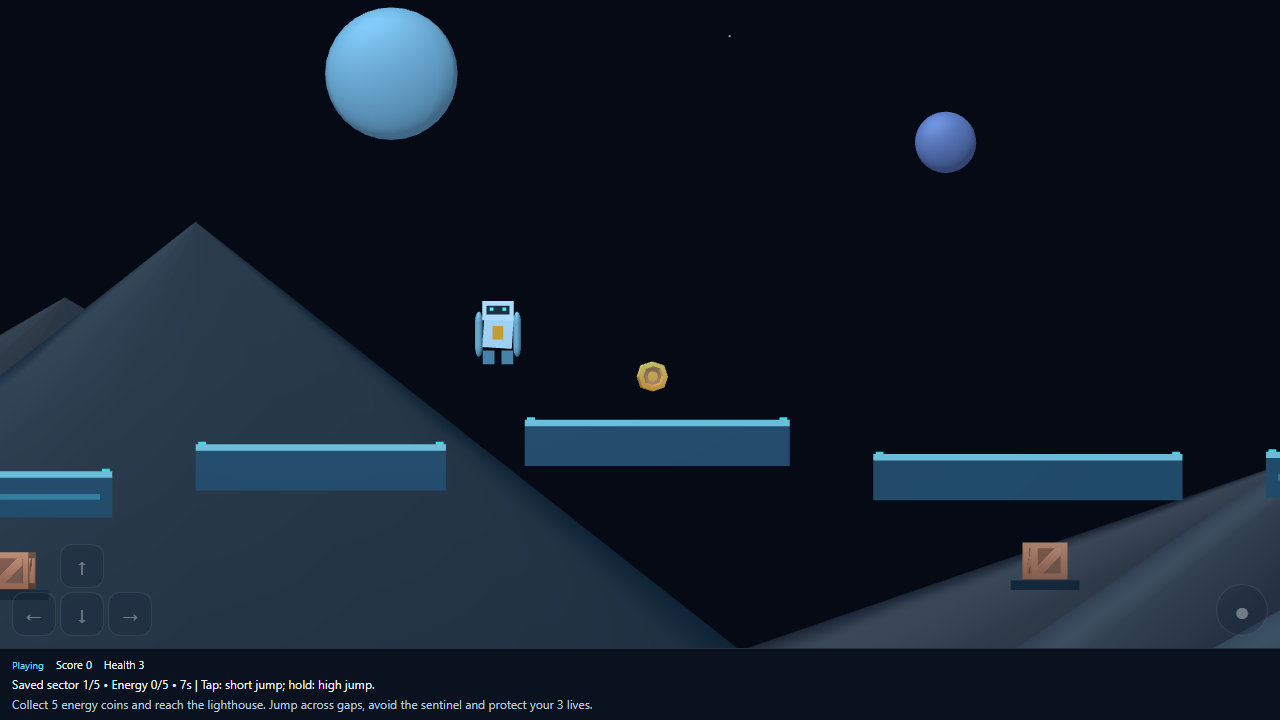
Arcabox uses the standalone PlayCanvas engine for browser games. The model can create 3D worlds, side-on 2.5D levels, and grid-based puzzles. Camera, movement, collisions, objectives, and visual feedback are useful things to specify in your prompt.
This is an AI-assisted game workflow with preview and revisions. It does not provide the full PlayCanvas visual editor. The technology integration does not imply a partnership or endorsement.
Use the available asset catalog
The reviewed catalog contains these IDs. You can name them in a prompt; the model must load the asset for it to appear. Ask for a sensible scale, placement, and a clear silhouette.
| Asset ID | Type / use |
|---|---|
signal-crystal | 3D crystal |
neon-grid | Texture |
kenney-grass-block | 3D ground block |
kenney-grass-ramp | 3D ramp |
kenney-wood-platform | 3D platform |
kenney-pine | 3D tree |
kenney-crate | 3D crate |
kenney-coin | 3D coin |
Moonrail’s recorded build loaded and displayed the coin and crate models. The catalog is limited: arbitrary asset URLs and user-uploaded game assets are not supported by this runtime. Token artwork is a separate feature.
Build within the runtime
Ask for the existing keyboard and touch controls and the platform’s Pause, Resume, Restart, and How to Play controls. Keep objectives and HUD text short so they remain legible.
Generated games run inside an isolated preview with restricted browser capabilities, separate from application credentials and wallet actions. Do not design gameplay that depends on a wallet connection, external services, or token balances. Multiplayer services, arbitrary external asset loading, and in-game token economies are not provided by this phase.